What a RIP does in a DTF shop
A DTF printer does not understand a JPG or a PDF. The RIP is the program that turns that file into something the print head can actually print: how much of each ink lands on every dot, where the backing white goes and in what order the passes are laid down.
Two things that cost real money in a shop depend on that translation: whether the printed colour matches the screen, and whether you waste metres of film.
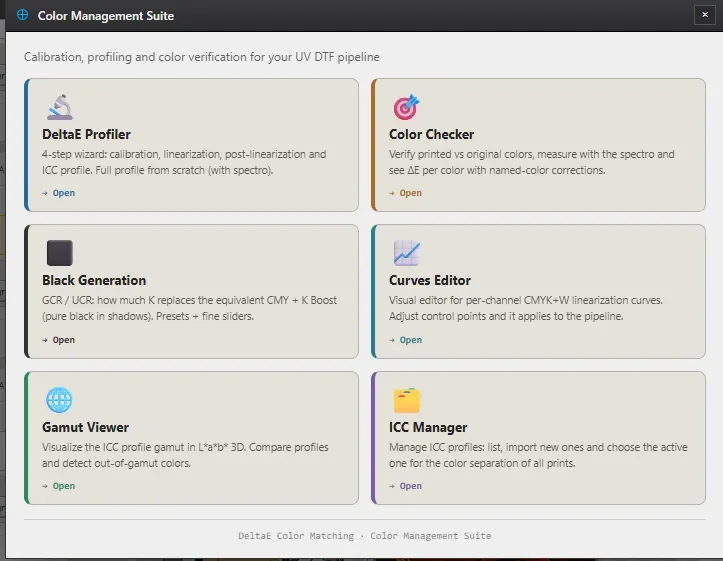
Colour management — input and printer ICC profiles, so printed colour matches the design.
Channel separation — RGB to CMYK plus white, with black generation and ink limiting.
Halftoning — dot placement so gradients do not band.
Layout — nesting the pieces across the width of your roll.
PRN writing — the native file your printer's board reads.
SAPIENS
*
SAPIENS *
by DeltaE Coreflow Rip Software
Sapiens CoreFlow RIP is DeltaE Color Matching's RIP software for DTF production. From the customer's file to a PRN ready for the printer, without leaving the program.
Automatic white and channel separation
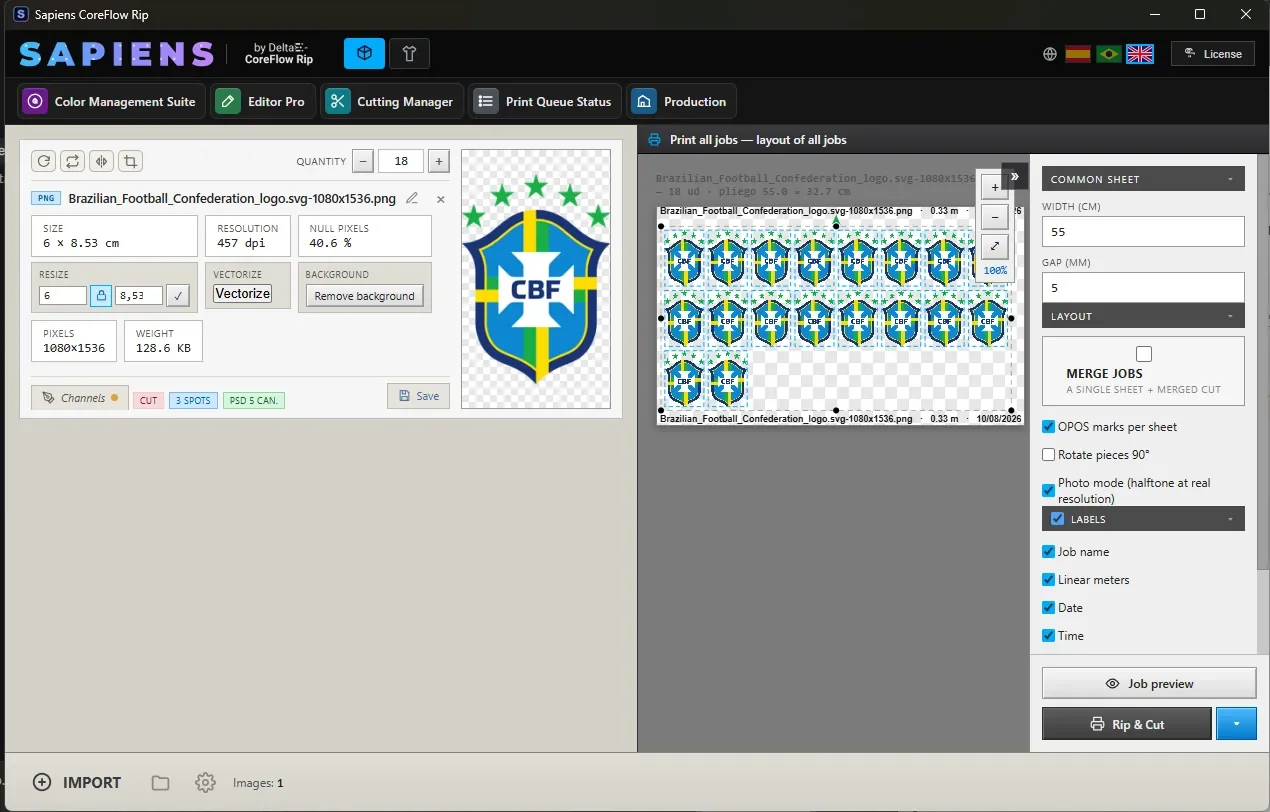
In DTF mode the white is derived from the artwork itself: where there is colour there is backing, and where the file is transparent no ink is laid. You do not need to prepare a separate white layer in Photoshop.
Separation is where the years of work sit: black generation, total ink limit, dot gain compensation and zoned hue control, so neutrals do not drift and shadows do not block up.
Sheet layout and job queue
*
Sheet layout and job queue *
The layout nests your copies across whatever roll width you run, with configurable spacing and the registration marks for the cutter. What you see on screen is what comes out.
Long sheets are processed in bands, so a job several metres long does not depend on how much memory the computer has. While it renders, the queue shows every job with its time, its name and its progress.