

PRINT QUALITY · KNOWLEDGE
Proper inkjet printhead care for consistent print quality
Good printing starts with a printer that is ready for production. Consistent ink delivery supports both image detail and color quality. A systematic maintenance routine begins with inspection, followed by the appropriate action for the symptoms and the printer's manual.
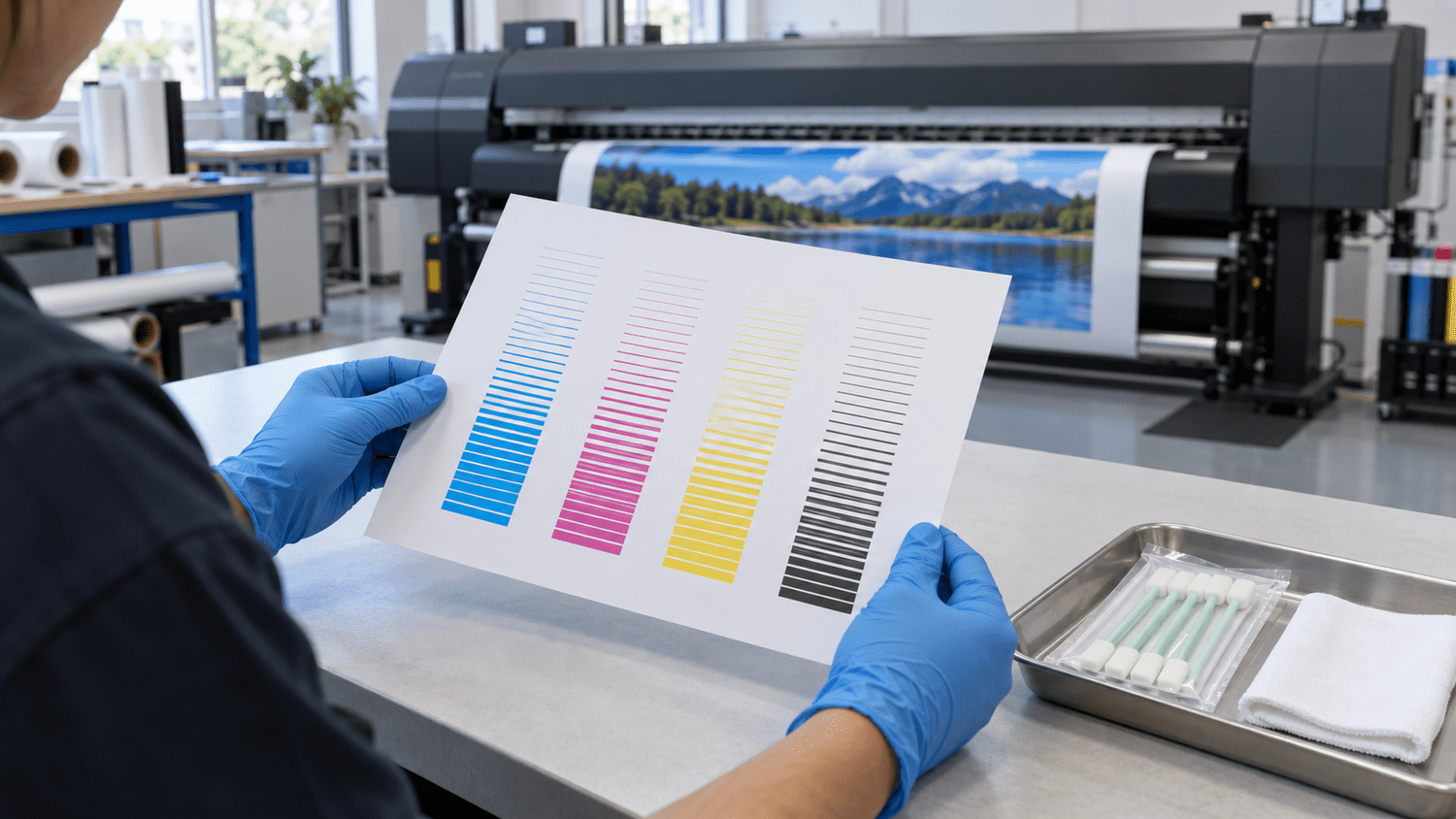
These are general principles for inkjet operators. The procedure, cleaning fluid, frequency and preparation for downtime must follow the actual printer and ink system's manual. DTF, DTG, sublimation, UV and sign printers can have different requirements.
1. Check the nozzles before important jobs
If prints show bands, missing colors or unusual fading, print a nozzle-check pattern from the printer menu and compare it with the normal example in the manual. This helps determine whether to begin with nozzle maintenance or investigate another cause.
References: Epson — Print Head Maintenance
- Check each color for complete or missing lines, and for deflected lines where the model's test pattern shows them.
- Save the test result with the date, printer name and symptoms so you can compare it before and after maintenance.
- If the nozzles test normally but banding remains, check print settings, media feed and head alignment as directed by the manual. Do not immediately assume a clogged printhead.
2. Clean only as needed and verify the result
If the test shows missing nozzle lines, start with the normal cleaning procedure specified by the manufacturer, then print another test. Cleaning consumes ink. Avoid repeated cycles without checking the result, and do not jump to Power Cleaning or Strong Cleaning without reviewing the model's requirements.
References: Epson — Print Head Maintenance · Roland DG XG-640 — Normal Cleaning · Roland DG XG-640 — Types and Timing of Maintenance
The permitted repetitions, waiting time and next steps vary by printer. If the prescribed procedure does not help, keep the test sheets and contact the service technician instead of repeatedly increasing cleaning intensity.
- 01InspectPrint a nozzle check
- 02MaintainFollow the model's procedure
- 03VerifyTest again before production
3. Include the caps and wipers in maintenance
Printhead caps seal the nozzle surfaces to help prevent drying and dust accumulation. Wipers clean through the printer's own mechanism. These parts affect printhead operating conditions and need maintenance at the specified intervals.
References: Roland DG DA-640 — Cleaning around the Print Heads
On models that permit user maintenance, enter maintenance mode first. Use manufacturer-approved cleaning sticks and fluid only on the specified areas. Do not move the carriage by hand or rub the nozzle plate with a stick or cloth. If you are unsure of the location, check the manual or ask a technician before continuing.
References: Epson F9570 — Cleaning Around the Print Head · Epson P20570 — Cleaning Around the Print Head and Caps
4. Control the environment and follow ink-specific care
Keep the area around the printer clean and stay within the manufacturer's operating temperature and humidity range. Avoid nearby heat sources and direct air-conditioning drafts, which can contribute to ink drying around the nozzles. Do not apply one humidity target to every printer without checking its specifications.
References: Epson F2270 — Using Your Printer
White-ink systems need the maintenance specified for their model because ink particles can settle. Shaking cartridges, agitating ink or circulating ink must follow the manufacturer's procedure. Do not transfer instructions from one printer directly to another.
References: Epson F2100 — Handling White Ink · Roland DG XG-640 — Types and Timing of Maintenance
5. Plan before leaving the printer idle
Review idle and storage procedures before an extended break. Some printers need their main power left on for automatic maintenance; others require preparation of the ink system with cleaning supplies for long-term storage. A rule to switch off and unplug every printer is not appropriate.
References: Roland DG — Power supply during idle periods · Epson F2270 — Storing the Printer
Follow the model's parking and shutdown procedure, allow maintenance to finish, and perform a nozzle check before restarting production. If the ink system needs preparation for storage, arrange service or obtain the required supplies before the break.
References: Epson F2270 — Storing the Printer
6. Make maintenance records part of production
The table below is a planning aid, not a fixed service schedule. Adjust it to the printer's notifications, manual, workload and operating conditions.
References: Roland DG XG-640 — Types and Timing of Maintenance
| When | What to check or record |
|---|---|
| Before important jobs / after downtime | Nozzle-check results, printer status and warnings requiring attention |
| During production | Missing lines, sudden color changes, ink drops or head strikes on media |
| After production / at specified intervals | Cleanliness of permitted areas, cap and wiper condition, and waste-ink containers |
| If the issue persists | Before-and-after tests, steps already taken and warning codes for the technician |
A ready printhead is a foundation for color management
An ICC profile describes how a device reproduces color under a defined printing condition. Calibration helps prepare the device for color management.
References: X-Rite — Calibration and ICC Profiling
In practice, resolve nozzle problems and stabilize printer output before measuring color or creating a new profile. Adding color in the artwork or changing an ICC profile does not repair clogged or damaged nozzles. Once the printer is ready, assess ink, media, print mode and RIP workflow together.
Read more: RIP workflow and color management (Thai article) and Custom ICC Profile Service
Frequently asked questions
Should I clean the printhead every day?
A cleaning cycle is not necessary every day if the test is normal. Distinguish daily inspection from printhead cleaning, and perform other maintenance at the intervals or notifications specified by the printer.
References: Epson — Print Head Maintenance · Roland DG XG-640 — Types and Timing of Maintenance
Can I use alcohol or a general-purpose cleaner?
Do not guess at compatibility. Use the fluid and tools specified in the manual. For example, the Epson P20570 manual prohibits cleaning the caps with alcohol or organic solvents. Instructions for one component should not be treated as instructions for the nozzle surface.
References: Epson P20570 — Cleaning Around the Print Head and Caps
Do missing nozzle lines mean the printhead must be replaced immediately?
Not necessarily. First inspect and clean according to the manufacturer's procedure. If the result does not improve, a technician should inspect the system and printhead to find the cause. Repair or replacement may be needed in some cases; cleaning cannot be guaranteed to resolve every fault.
References: Roland DG XG-640 — Normal Cleaning · Roland DG DA-640 — Cleaning around the Print Heads
Manufacturer guidance reviewed on 14 September 2026. Model-specific examples explain the principles; always follow the manual for the printer you use.